Don’t Get Left Behind: Why Windows Upgrades Are Critical for Business Continuity
Outdated Windows = Business Risk
For many business leaders, IT feels like it’s “working fine”, until it doesn’t. The hidden truth is that running your company on outdated, unsupported versions of Windows is like leaving your office doors unlocked overnight. It may seem safe, but one incident can cost you millions in downtime, regulatory penalties, or lost trust.
Sign Up for 15 Minutes Consultation
That’s why Microsoft sets clear End-of-Life (EOL) dates for its products. Once support ends, so does your safety net:
No more security patches
No compliance assurance
No vendor support if something breaks
In many cases, Windows 10 can be upgraded to Windows 11, even if the hardware doesn’t meet Microsoft’s standard requirements.
Which Windows Products Are at Risk?
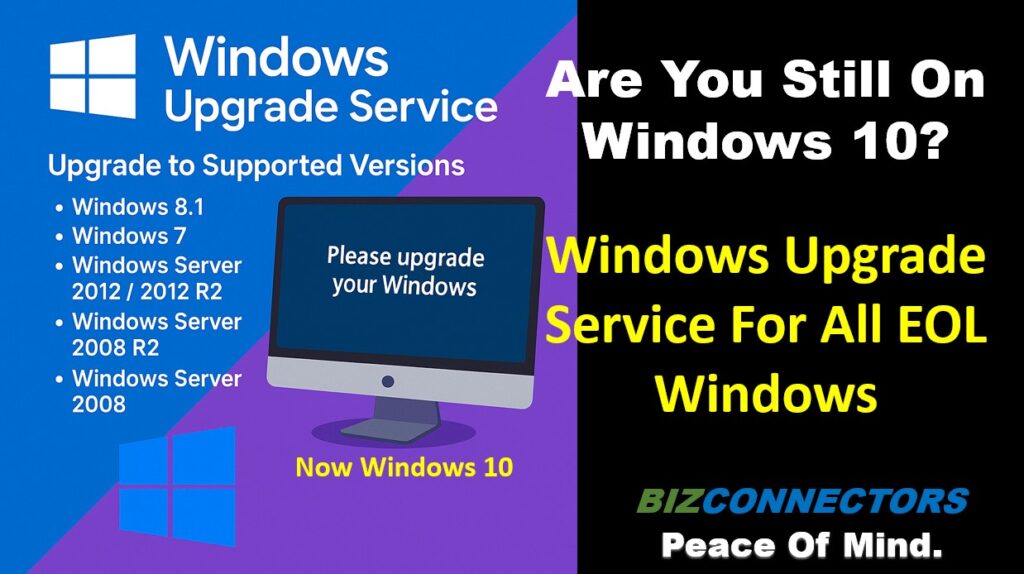
Here are the key desktop and server products already at or nearing EOL that every CEO should be aware of:
Desktop / End-User Systems
Windows 7 – EOL in January 2020 (still seen in some businesses).
Windows 8.1 – EOL in January 2023.
Windows 10 (Home/Pro) – Support ends October 14, 2025.
Windows 11 – Current, but older builds phase out regularly (e.g., Windows 11 21H2 support already ended).
Windows Server Products
Windows Server 2008 / 2008 R2 – EOL in January 2020.
Windows Server 2012 / 2012 R2 – EOL in October 2023.
Windows Server 2016 – Extended support ending January 2027 (time to plan).
Windows Server 2019 – Supported but mainstream support ended January 2024.
Windows Server 2022 – Current long-term supported release.
- Windows Server 2025 – Latest release.
If your business is still running any of the above EOL systems, you’re exposed to compliance gaps, cyber risks, and costly downtime.
Why Businesses Should Care (Not Just IT Teams)
This isn’t about “patches” or “firmware.” It’s about:
Compliance: Regulators don’t accept “we didn’t know.” HIPAA, PCI, and NIST require supported software.
Continuity: Unsupported systems are prime targets for ransomware. One breach can stop operations cold.
Reputation: No client wants to hear their vendor is running on outdated systems.
Growth: Modern applications require modern infrastructure. Legacy systems slow down innovation.
In short: outdated Windows isn’t a “tech issue.” It’s a leadership liability.
Case Study: From Risk to Resilience
Industry: Healthcare (Multi-location Medical Practice, 85 employees)
Challenge: The practice was still running Windows Server 2012 R2 on several critical systems, including their EHR (Electronic Health Records). With EOL support ending, they faced immediate HIPAA compliance risks, increased ransomware exposure, and pressure from insurers.
Solution:
Bizconnectors conducted a Silent Audit and presented a clear roadmap:
Migrated all legacy servers to Windows Server 2025 with minimal downtime.
Upgraded Windows 10 Pro machines to Windows 11 in phases, starting with frontline staff.
Implemented 2FA and email protection to reduce phishing and account takeover risks.
Provided compliance documentation for their HIPAA auditors.
Results:
100% EOL systems retired within 6 weeks.
Passed HIPAA compliance audit without issue.
CEO reported a 25% reduction in IT-related complaints from staff within the first month post-upgrade.
Peace of mind that their IT was now an enabler, not a risk.
“Bizconnectors gave us clarity and confidence. We went from worrying about HIPAA violations to knowing our IT is secure and compliant. The transition was smooth, and our team is more productive than ever.” — Jeff Petersen, CEO
The Bizconnectors Windows Upgrade Service & Tech Refresh
We make upgrades simple and non-disruptive. Whether you need to:
Upgrade in place (where supported)
Migrate to the latest Windows version
Replace legacy servers with modern, cloud-ready systems
Our process ensures:
Minimal downtime during migration
Compliance peace of mind (auditable documentation)
A roadmap that future-proofs your IT investments
A seamless path to Microsoft 365, Azure, or hybrid environments if you’re ready to modernize further
Before vs. After Upgrading with Bizconnectors
| Before | After |
|---|---|
| Unsupported Windows creating hidden risks | Fully supported, secure, and compliant systems |
| IT team distracted by firefighting | Reliable operations and peace of mind |
| Applications limited by old infrastructure | Freedom to adopt modern tools and cloud solutions |
| Reputation risk if clients learn about outdated systems | Confidence when regulators, clients, or auditors ask about IT |


